Website Monitoring
Website monitors request a URL every 30 seconds from multiple regions and alert you when the site is unavailable, responds slowly, or returns unexpected content. Each check can assert on the status code, response time, body and headers.
Just like with other monitors, when a website monitor detects a problem, you can collaborate with your team to resolve the incident and optionally update your status page.
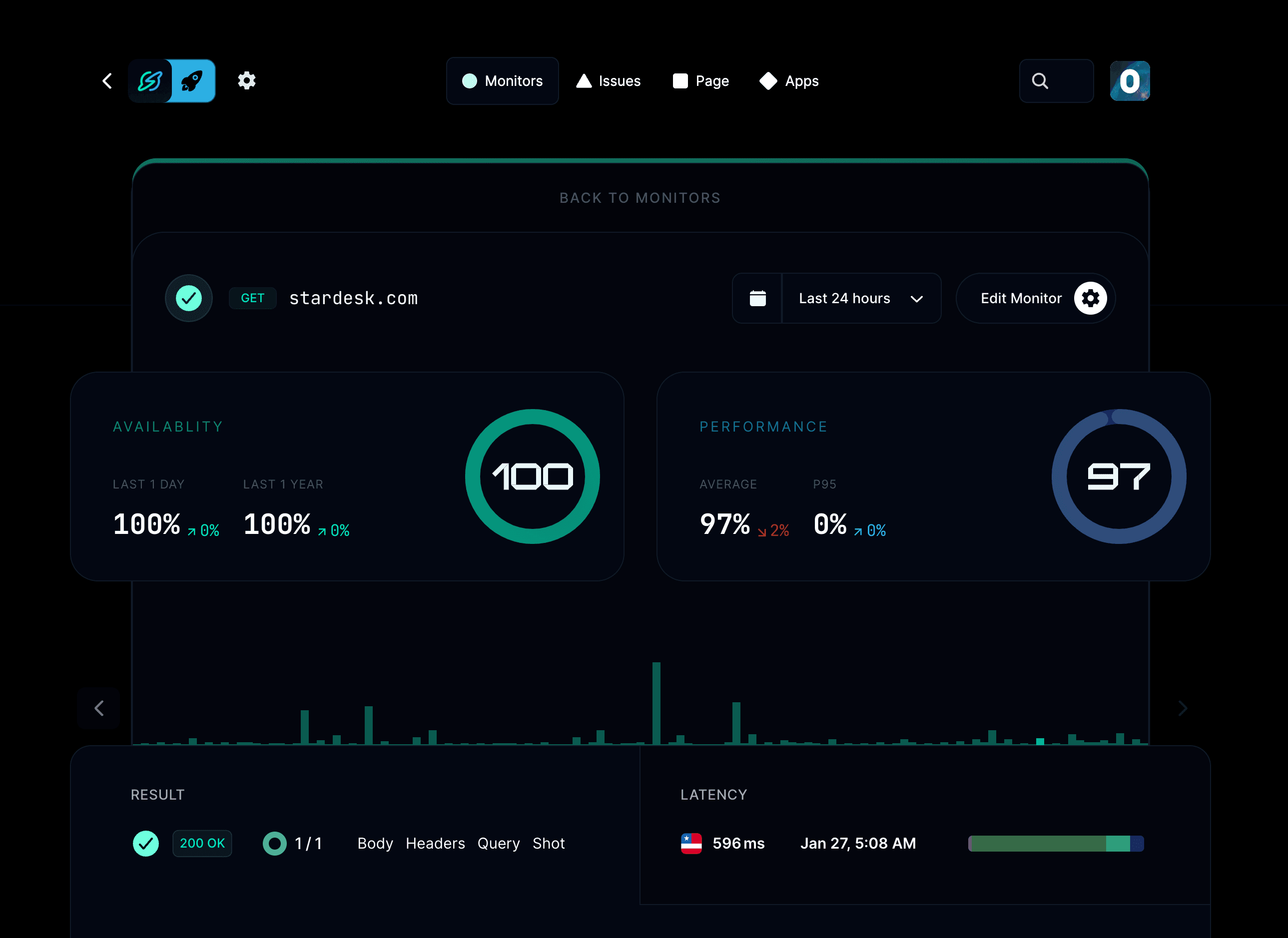
What does a website monitor check?
- Automatically check your websites from multiple global locations every 30 seconds.
- Get notified if your site is down, slow, or returning the wrong content.
- Verify status codes, response time, keywords, and headers.
- Integrate with Slack, email, SMS, phone calls, and more for alerts.
- Track uptime and response performance over time.
How do I add a website monitor?
Go to your project → Monitors → Add monitor, choose Website, enter the full URL and set the conditions that mean the site is healthy.
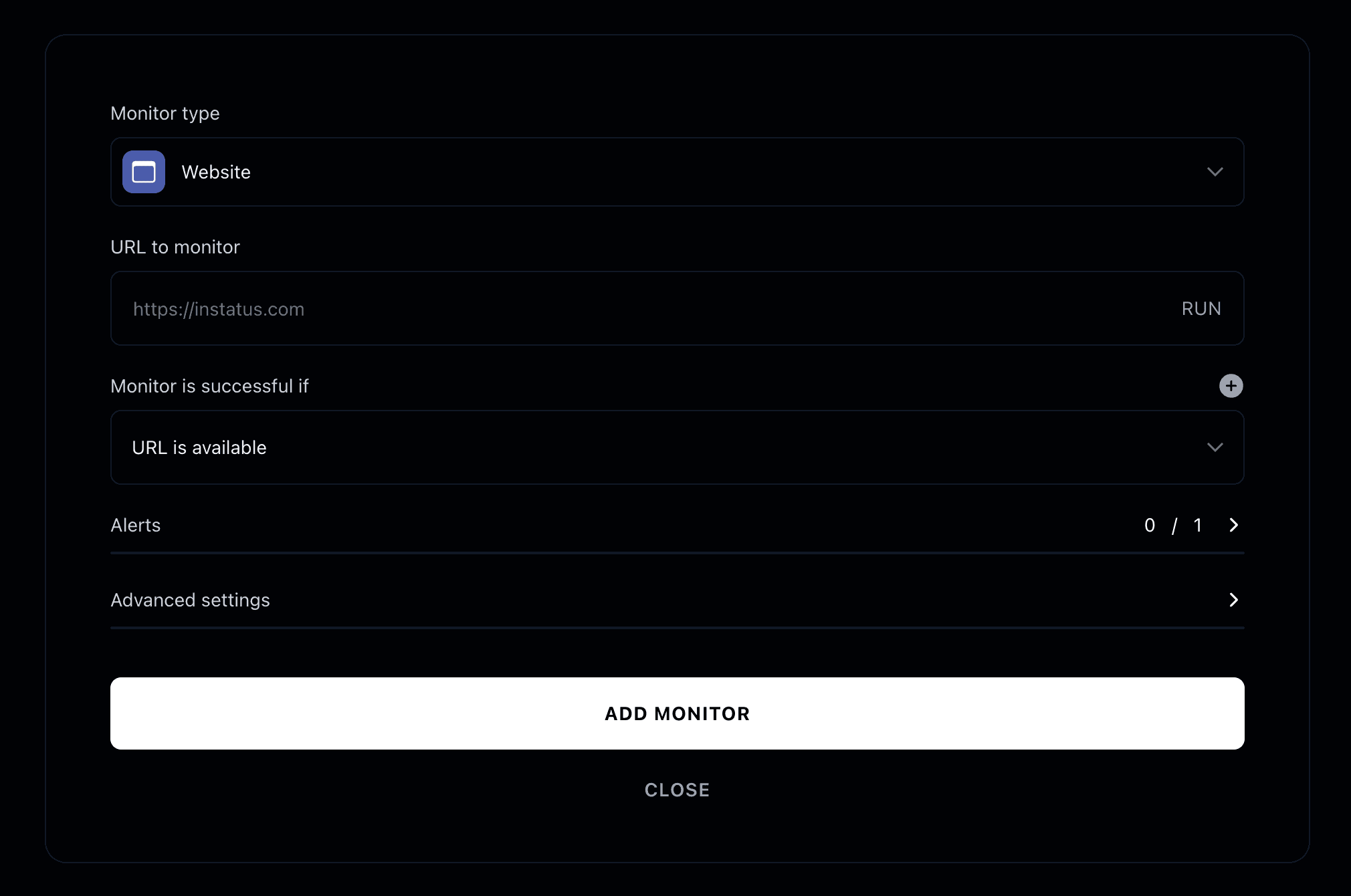
Monitor type
Select Website as the monitor type.
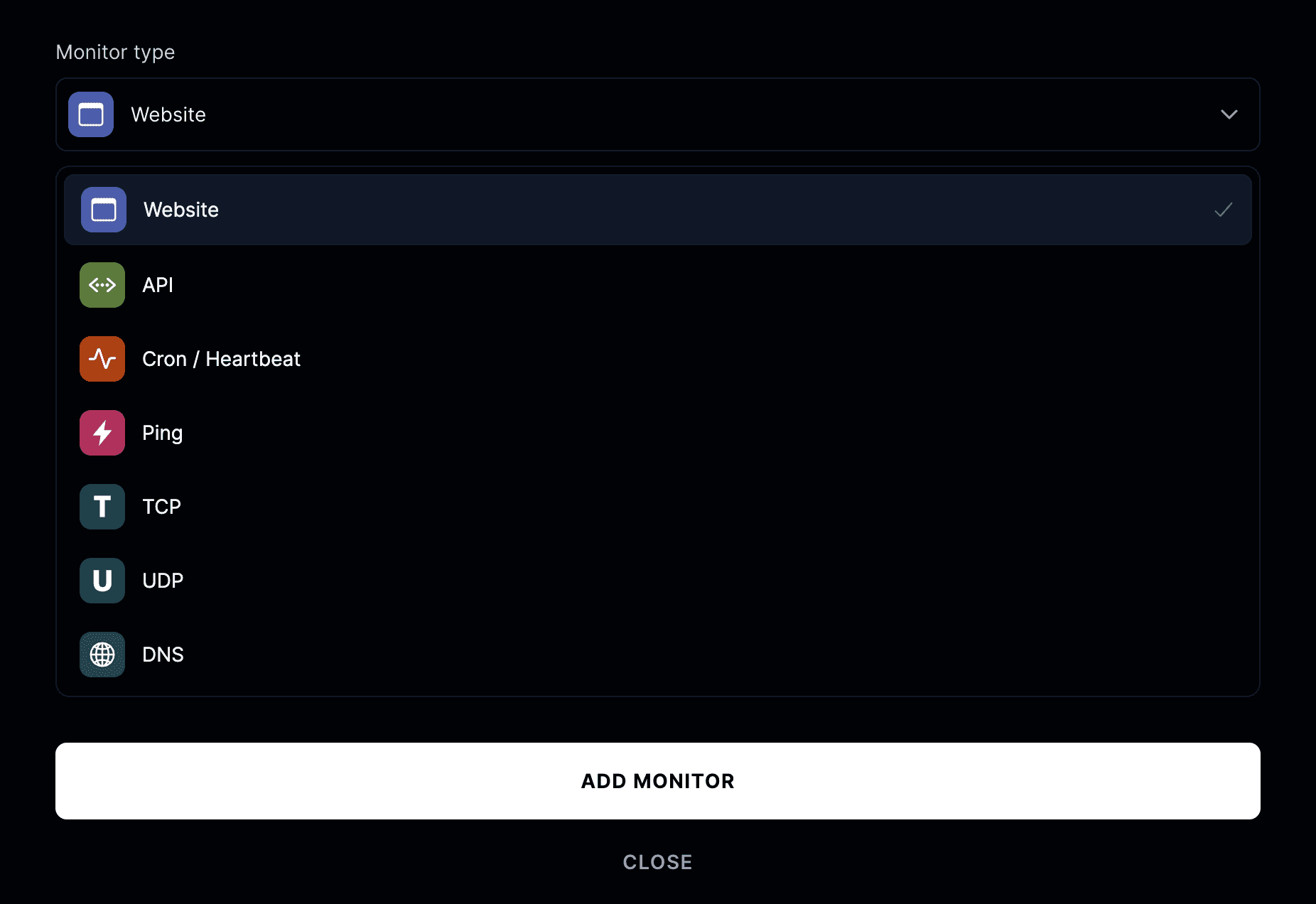
Enter the full URL of the website you want to monitor — for example,
https://yourwebsite.com.
Monitor is successful if
A website monitor succeeds when all configured conditions are met.
You can define one or more of the following assertions:
- Status code: e.g. response is
200 OK - Response time: e.g. under
2 seconds - Body contains: e.g. “Welcome to our site”
- Header contains: e.g.
Content-Type: text/html
If any of these conditions fail, the monitor will be marked as down and alerts will be triggered according to your alert settings.
Advanced settings
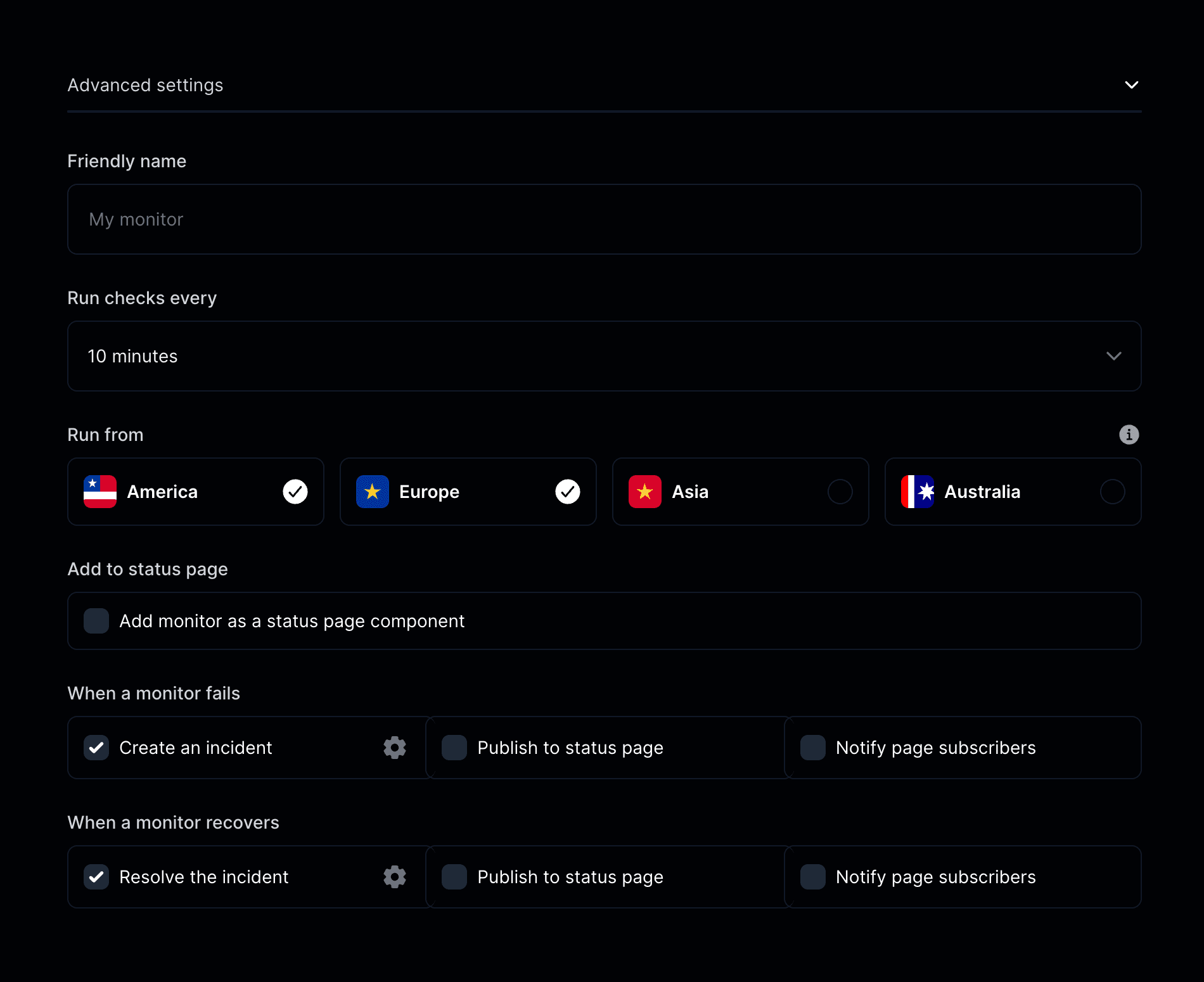
- Friendly name: Give your monitor a descriptive name.
- Run checks every: Choose how frequently your website should be checked.
- Run from: Select geographic regions for testing (United States, Canada, Europe, Asia).
- Add to status page: Show your website’s uptime and performance on your public status page.
- When a monitor fails: Create an incident, publish to your status page, or notify subscribers.
- When a monitor recovers: Resolve incidents and update your status page automatically.