PagerDuty + Instatus
- Go to Instatus, under Integrations, select PagerDuty
- Select the templates to use when creating and resolving automated incidents
- Copy your page's webhook URL
- Open your PagerDuty dashboard. Under Service Directory, select the service you'd like to automate, or create a new one.
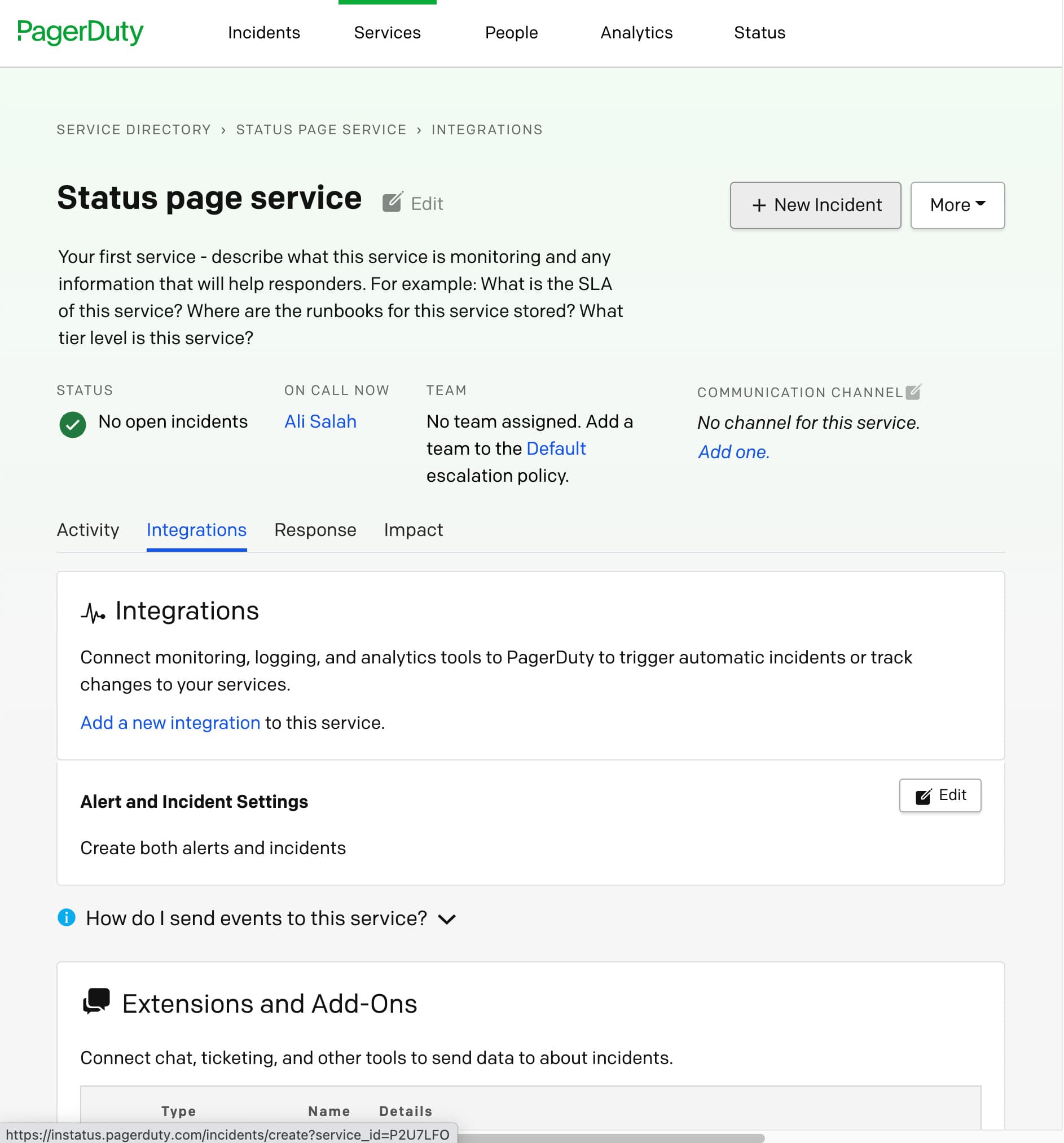
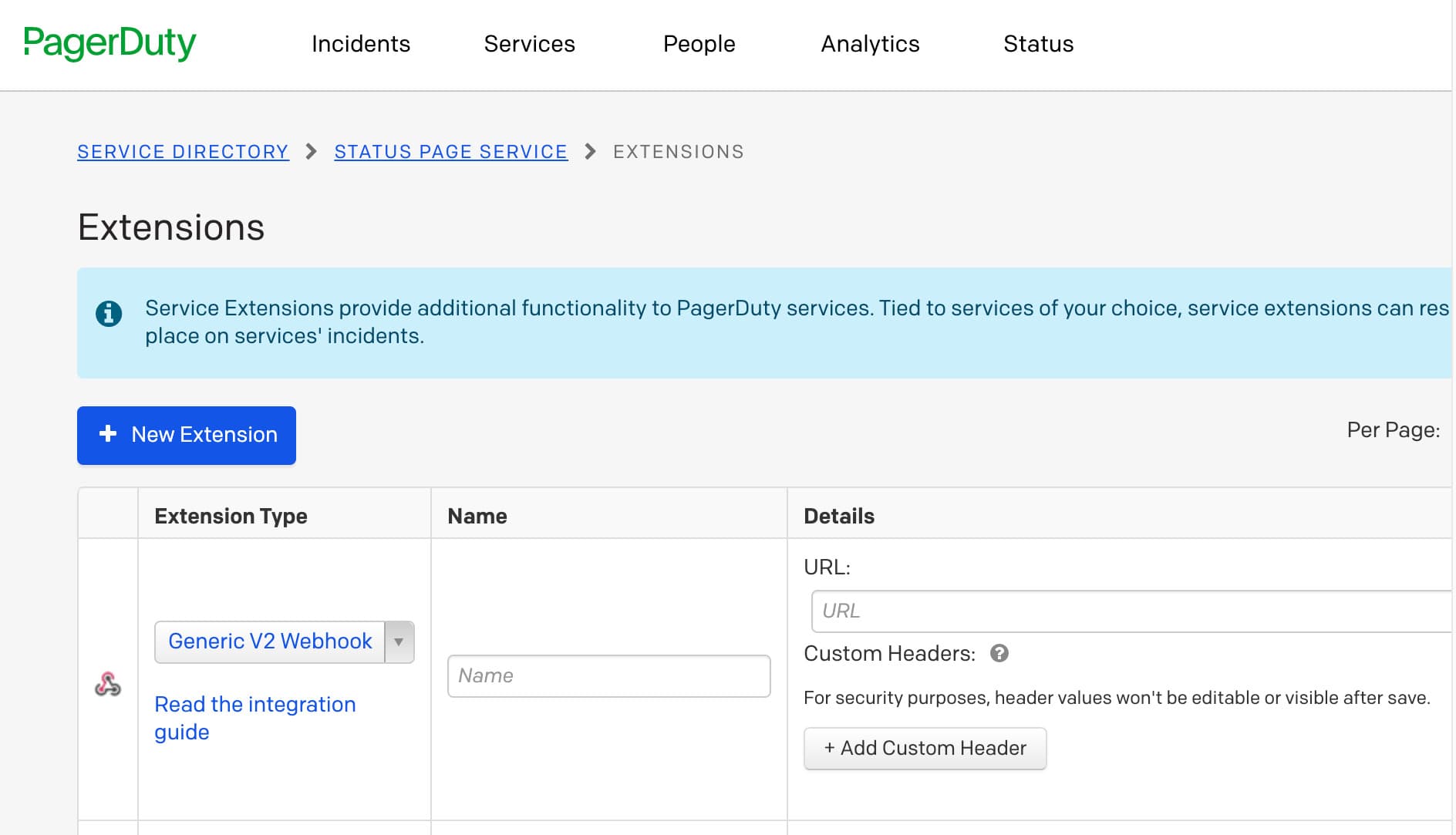
- Click on the Integrations tab → Add or manage extensions → New extension → Generic V2 Webhook Choose any name and add the webhook URL you copied from your Instatus dashboard
We're done! 🍪