Schedule maintenance periods
Maintenance periods announce planned downtime on your status page, notify subscribers before it starts, and carry updates until it completes.
FieldsTitle, status, message, components, date, notifyUpdatesStatus, message, components, date, notifyWhere to findMaintenance → Schedule a maintenance
How do I schedule a maintenance?
Log in at instatus.com/login, choose your status page, go to Maintenance and click Schedule a maintenance. Fill in the title, status, message, affected components and date, and choose whether to notify customers.
Once you click it, a new form will appear. Here you can enter:
- Maintenance title.
- Current maintenance status.
- Your message.
- Components affected by the maintenance.
- Scheduled date
- Whether to notify your customers about it.
Click Add maintenance, and it will be added to your page.
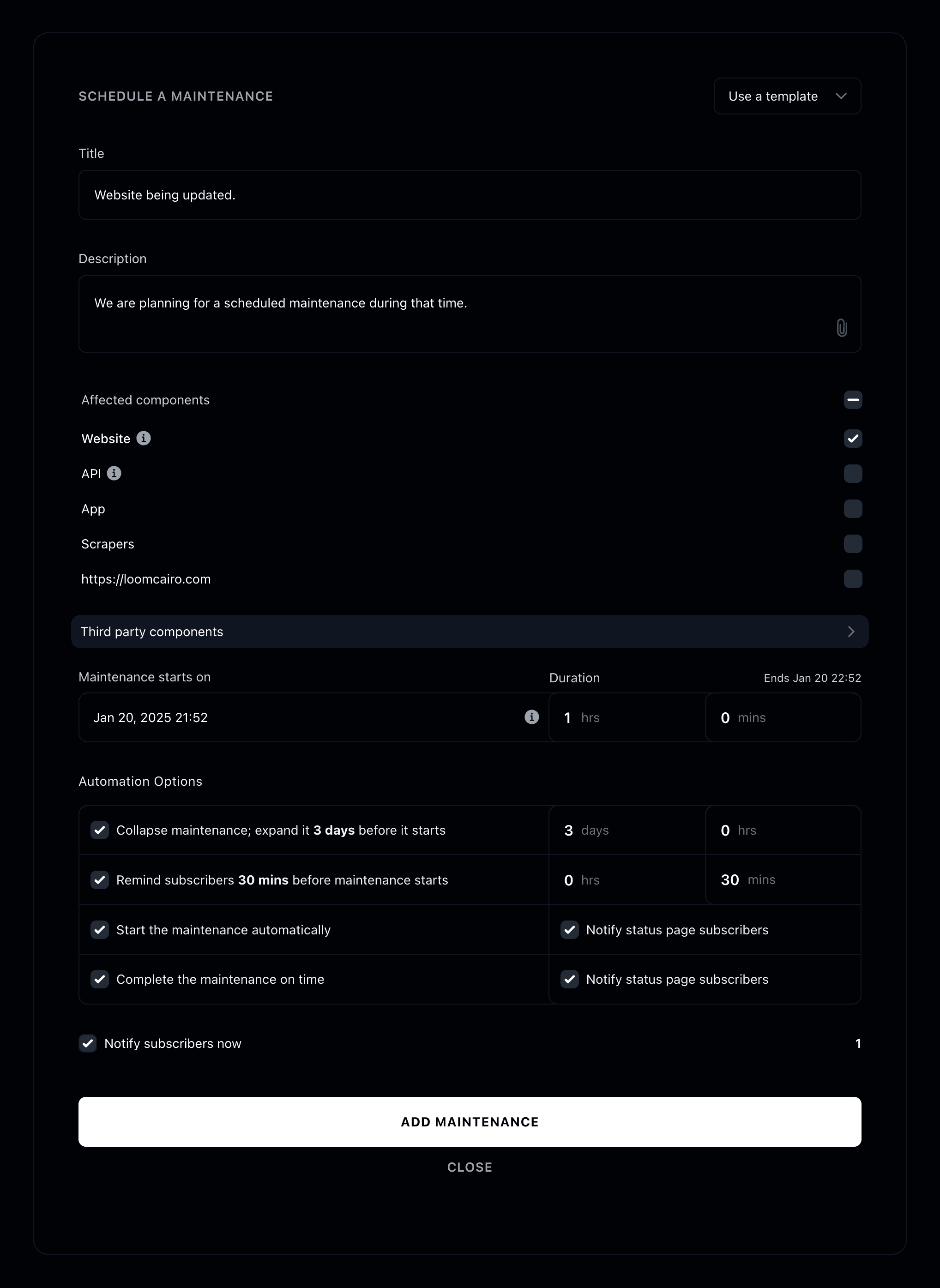
Maintenance is now added 🕰️
How do I add a maintenance update?
Open the maintenance under Maintenance and click Add an update to change its status, message, affected components or date, and optionally notify customers.
Once you click it, a new form will appear. Here you can enter:
- Current maintenance status.
- Your message.
- Components affected by the maintenance.
- Date
- Whether to notify your customers about it.
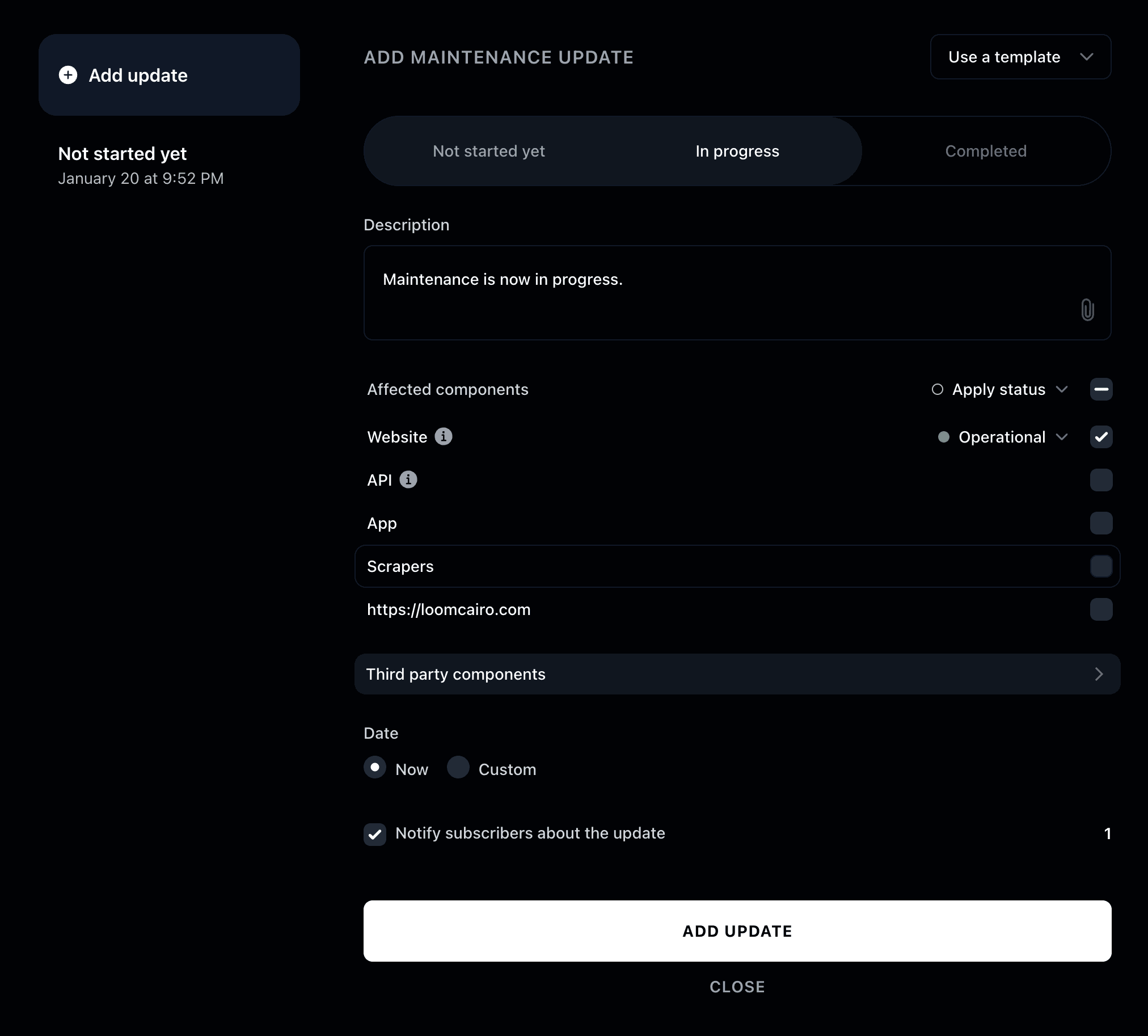
Update is now added 👩🏾💻